Skip to content
888rs Slots / Live
LIVE LOBBY

888rs — Slots, Live Tables and Sportsbook for Pakistan

Slot titles from Pragmatic Play and PG Soft, live dealer tables, and a sportsbook covering cricket markets — all reachable from one account. Your payment options — Easypaisa, JazzCash, Bank Transfer and Debit Card — are right there when you open the cashier, and access depends on local law and eligible regions.

JazzCash Easypaisa Raast
Browse games
CONTENT / 01

The games your account opens first

Some titles get opened more than others, and we keep them easy to find. Teen Patti Prize brings a familiar card-game format into the digital lobby — it's a natural fit for players who know the game and want a version that loads smoothly on mobile. Crash Lightning is the crash game in the catalogue: a single multiplier that climbs until it stops, with the outcome decided before the round starts.

  • Teen Patti Prize

  • Crash Lightning

  • Live Cricket Pitch

  • Sukkur Slot Station

  • Slot MagicSpin

  • Football StrikeZone

WHAT WE CARRY

A closer look at what's inside the lobby

The lobby at 888rs is arranged so you can move between game types without losing your place. Slots sit alongside live dealer tables, crash games and a sportsbook section, with game content supplied by Pragmatic Play, Microgaming, PG Soft, Spadegaming, JDB and Habanero. If you're in for a session on slots, titles like Sukkur Slot Station and Slot MagicSpin are there to explore.

  • Slot Titles

    Slot content from Pragmatic Play, PG Soft, Spadegaming, JDB and Habanero means a real range of reel styles, from classic three-reel formats to multi-payline slots with bonus rounds. Sukkur Slot Station and Slot MagicSpin are among the titles in the catalogue. RTP information is shown only where the game or provider exposes it — we don't invent figures.

  • Live Casino

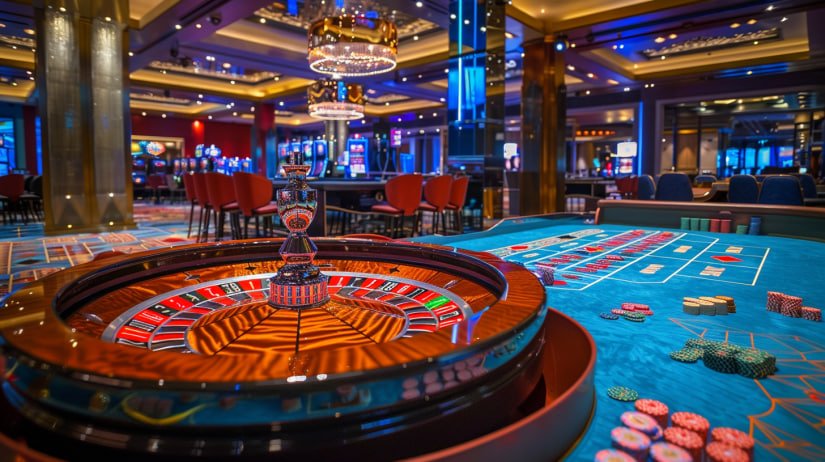
    Live dealer tables run around the clock, with baccarat, roulette and other table game formats streamed directly into your browser. The table lobby loads on both mobile and desktop. You can switch between a live table and the slot rows without logging out — your session stays active across the lobby.

  • Sportsbook

    The sportsbook section covers cricket as its main category, with PSL matches and international fixtures available where local law permits. Football StrikeZone sits in the sports-adjacent game section alongside conventional sports markets. We don't publish odds or match results here — those are live inside the account once you've logged in.

DISCOVER / 01

Choose your game

Full lobby
GAME NETWORK
Pragmatic Play
Microgaming
PG Soft
Spadegaming
JDB
Habanero
CONTENT / 04

888rs lobby studios

The 888rs lobby carries content from Pragmatic Play, Microgaming, PG Soft, Spadegaming, JDB, Habanero. To check the studio, rules or features of one specific game, open that game card or the published information panel.

  • Pragmatic Play

  • Microgaming

  • PG Soft

  • Spadegaming

  • JDB

  • Habanero

TRUST / 03

Support routes available from your account

Account help at 888rs is reached directly through the platform — no need to search for a contact address. The support section in your account dashboard lists the active channels, and the options shown there are what's currently available. For payment-related questions, the cashier section has a help link that takes you straight to the relevant support queue rather than a general inbox.

  • Live Chat

    Live chat is accessible from the account dashboard once logged in. It's the right channel for session-level questions — a game not loading, a navigation issue, or a quick cashier query. The chat widget shows current queue status when you open it. For account-security or transaction questions, we'd direct you to the ticket route for a proper record.

  • Ticket Support

    The ticket system handles account-level matters: identity verification steps, transaction records, account-limit adjustments and formal complaints. Open a ticket from the support section in your dashboard, attach any relevant screenshots, and a support agent will respond via the same thread. This route creates a documented record you can refer back to.

  • Cashier Help

    Payment-specific queries — a pending Easypaisa transfer, a Bank Transfer reference you need to confirm, or a Debit Card transaction that hasn't reflected — are handled through the cashier help link rather than general support. This routes your query to agents familiar with local payment rails and reduces the back-and-forth on wallet-specific details.

Learn more →
LOCAL PAYMENTS

Local payment routes verified for Pakistan

The cashier at 888rs supports Easypaisa, JazzCash, Bank Transfer and Debit Card — the payment rails that work practically for accounts in Pakistan. When you open the cashier after login, the methods available to your account are listed with the relevant fields and any account-level verification steps shown inline. Easypaisa and JazzCash transfers go through the wallet numbers you register in your payment settings; the confirmation reference appears in your transaction history once the transfer is processed.

  • Easypaisa

    Easypaisa wallet transfers are available in the cashier under the mobile wallet section. Enter the wallet number registered to your account and follow the fields shown. The transaction reference appears in your 888rs account history and in your Easypaisa app once the transfer is confirmed. Account-level verification may be required on first use.

  • JazzCash

    JazzCash deposits and withdrawals use the mobile wallet number linked to your account in payment settings. The cashier displays the transfer fields and any account instructions when you select JazzCash. If a wallet isn't linked yet, the settings section in your account walks you through adding one before the cashier step.

  • Bank Transfer

    Bank Transfer deposits use the account details shown in the cashier at the time of your transaction. The reference number displayed must be included in your transfer so the payment is matched correctly. Withdrawal via Bank Transfer returns funds to the registered bank account; add or update your bank details in the payment settings section before initiating.

  • Debit Card

    Debit Card deposits are available through the card fields in the cashier. Cards issued by Pakistani banks are supported where the card network allows it. A verification step may appear on first use — follow the instructions shown in the cashier at that point. The card used for deposit is the default return route for withdrawals.

JazzCash Pakistan payment context
Easypaisa Pakistan payment context
Raast Pakistan payment context
888RS
Mobile casino lobby
Popular Live Slots
Live Cricket Pitch Sukkur Slot Station Football StrikeZone
MOBILE LOBBY

Built for phones, clear on desktop

Cards, tables, FAQ and policy pages stay easy to read on smaller screens.

  • Quick categories
  • Mobile first
  • Access
App
CONTENT / 03

The full lobby from your phone, no install needed

The 888rs lobby is built to run in a mobile browser without a separate app download. Open the site in Chrome or Safari on your phone, log in, and the game catalogue, cashier and account settings are all there — laid out for a smaller screen with thumb-friendly navigation rather than a desktop layout squeezed down. Slot titles load cleanly on a mobile connection, and the live casino tables stream at a resolution the mobile browser can handle.

  • Browser Access

    No download required — the lobby runs directly in your phone's browser. Chrome and Safari both handle the site layout without additional steps. The mobile view reorganises the game rows for vertical scrolling, with the main navigation and cashier link kept at the bottom of the screen for easy reach.

  • Mobile Cashier

    Deposits and withdrawals work through the same cashier interface on mobile. Easypaisa and JazzCash wallet fields are formatted for mobile input. The transaction history and current wallet balance are visible in the account section — tap the account icon in the top corner to access them without leaving the lobby.

  • Session Continuity

    Your login session stays active as you move between the slot lobby, live tables and the sportsbook section. If you switch from mobile to desktop during the same session window, the account state carries over — your wallet balance and transaction history are the same across both. Log out manually when you're done to keep your account secure.

GETTING STARTED

How to open an account and reach the lobby

Opening an account at 888rs takes a few straightforward steps. Start at the account registration page — the fields there ask for your contact details and a password you choose. Once the account is created, the verification step follows: check the contact address you registered for the confirmation link and complete it before trying to access the cashier.

  1. Register your account

    Open the account registration page and complete the fields shown — contact details, a password and the verification step sent to your registered address.

  2. Add a payment method

    Go to the cashier after login and select your preferred route: Easypaisa, JazzCash, Bank Transfer or Debit Card. Follow the fields and any account-level verification shown at that step.

  3. Fund your wallet

    Complete the transfer from your chosen payment source. The amount appears in your account wallet once the transaction is confirmed — visible in the account dashboard.

  4. Explore the lobby

    Navigate to the game section from the main menu. Slot rows, live tables and the sportsbook are each in their own section. Your wallet balance is shown at the top while you browse.

MEMBER DESK / 06

Offers, support and account controls

01

Game lobby

02

Support

ACCOUNT DASHBOARD

What your account dashboard shows after login

After logging in, your account dashboard is the central point for your session at 888rs. The wallet balance sits at the top — it reflects deposits, any amounts won in completed rounds, and processed withdrawals. The transaction history section logs every cashier action with a timestamp and reference number, which is useful if you need to follow up on a transfer with your bank or wallet provider.

  • Wallet Balance

    Your wallet balance in the account dashboard reflects the current total after deposits, won amounts and processed withdrawals. The figure updates once a transaction completes — for Easypaisa and JazzCash transfers, the reference appears in both your 888rs history and your wallet app when the payment is confirmed.

  • Transaction History

    The transaction log in your account lists every cashier action with a date, amount and reference number. If a Bank Transfer hasn't reflected, the reference shown in this log is what you provide to your bank. For Debit Card transactions, the reference here matches the charge that appears on your statement.

  • Account Controls

    Account-level settings are managed from the settings section of your dashboard. Payment methods, contact details and account-level controls are all in one place. The current state of each setting is shown as you navigate — nothing requires a support ticket to view, only to change where verification is needed.

Login
TRUST / 03

Controls available in your account settings

888rs puts account-level controls in the settings section of your dashboard so you can manage how your account operates without going through support for basic adjustments. Session controls, account-limit settings and the process for taking a break from the platform are all visible once you're logged in.

  • Session Controls

    Session-level settings are in your account dashboard. You can review your session history, set parameters for how your account behaves during play, and find the account-level options that affect session duration. The current state of each setting is shown in the interface — no support request is needed to view them, only to modify where a confirmation step applies.

  • Account Limits

    Account-limit controls are accessible from the settings section after login. The fields and instructions for adjusting limits are shown inline. Changes to limits that reduce account access take effect according to the confirmation step shown; increases may involve a review period. The current state of your limits is always visible in the settings panel.

  • Break and Pause Options

    If you want to pause your account for a period, the option is in the account settings section. The available durations and the confirmation steps required are shown when you open that setting. Once confirmed, the account status updates and the change is reflected in your dashboard. Reinstatement follows the process shown at the end of the chosen period.

  • Verified Payment Routes

    The cashier shows only the payment methods verified for your account and region: Easypaisa, JazzCash, Bank Transfer and Debit Card. No additional methods are implied or available beyond what appears in your cashier. If a method is missing, the payment settings section has an option to link or verify it — follow the fields shown there.

Learn more →
PLAYER INDEX / 07

Game mechanics and account terms explained

A short reference for terms that come up regularly in the lobby and your account — written in plain language so you're not left guessing what a feature does or what a field in the cashier means.

Player guide and glossary
  • What is a bonus round in a slot game?

    A bonus round is a secondary game feature inside a slot title, triggered by specific symbol combinations on the reels. Depending on the title, it may involve slot feature notes within the game, a pick-screen, or a multiplier mechanic. The exact trigger and payout structure for a bonus round are shown in the game's paytable, accessible from the information icon inside the game. RTP for rounds is shown only where the studio provides it.

  • What does RTP mean, and where do I find it?

    RTP stands for Return to Player — it's a percentage figure that describes what a game pays back over a large number of rounds, as published by the studio that built it. It's a long-run statistical property of the game, not a round-by-round guarantee. At 888rs, RTP figures are shown only inside the game where the provider makes that data available. We don't supply or estimate figures the studio hasn't published.

  • What is a crash game?

    A crash game is a format where a multiplier climbs from a starting point and can stop at any moment. You place an amount before the round starts and choose when to collect — if the multiplier stops before you collect, the round amount is not returned. Crash Lightning in our catalogue follows this format. The outcome is determined before the round starts, and the result history is visible in the game interface.

  • What does 'wallet balance' mean in my account?

    Your wallet balance is the current total in your 888rs account, reflecting completed deposits, amounts won in finished game rounds, and processed withdrawals. The balance shown in the dashboard updates once a transaction is fully confirmed — not at the point of initiating. For Easypaisa and JazzCash transfers, the balance and a matching reference appear in both your 888rs history and your wallet app once processing is complete.

  • What is a live dealer table?

    A live dealer table is a casino game streamed from a real studio environment with a human dealer running the game in real time. You see the action via video stream in your browser, and place bets through the interface on screen. Baccarat, roulette and other table formats are available in the live lobby at 888rs. The tables run continuously; the lobby shows which tables have open seats when you browse.

  • What does 'transaction reference' mean in my cashier history?

    A transaction reference is the unique identifier assigned to each cashier action — a deposit, withdrawal or transfer. It appears in your 888rs transaction history alongside the amount, date and payment method used. If you need to follow up on a Bank Transfer that hasn't reflected, this reference is what you provide to your bank. For Debit Card transactions, it corresponds to the charge visible on your card statement.

  • What is Teen Patti Prize?

    Teen Patti Prize is a card-game title in the 888rs lobby built on the Teen Patti format — a three-card game familiar to players across Pakistan and South Asia. The digital version follows the standard hand rankings and betting structure of the game. It loads on both mobile and desktop. The paytable and round rules are accessible from the information icon inside the game before you commit any account funds.

EXPLORE FURTHER / 04

Explore detailed guides

Local lobby check

LOBBY / 02

One mobile lobby, distinct game areas

Live Cricket Pitch Live Live Cricket Pitch Access → Sukkur Slot Station Slots Sukkur Slot Station Access → Football StrikeZone Sports Football StrikeZone Access → Crash Lightning Slots Crash Lightning Access → Teen Patti Prize Slots Teen Patti Prize Access → Slot MagicSpin Slots Slot MagicSpin Access →
QUICK ANSWERS

Frequently asked questions

Answers to the questions that come up most often around account setup, payments and accessing the lobby — based on what support sees regularly from Pakistan accounts.

Read FAQ →
How do I deposit using Easypaisa?

Log in and go to the cashier section. Select Easypaisa from the payment options shown. Enter the amount and follow the fields displayed — you'll need the wallet number registered to your account in payment settings. The transfer confirmation and a reference number appear in your 888rs transaction history once the payment is processed. If Easypaisa isn't showing in your cashier, check that a wallet number is linked in your account's payment settings section.

Can I access the lobby on my mobile phone?

The lobby runs in a mobile browser without any additional download. Open the 888rs site in Chrome or Safari on your phone and log in as normal. The interface adjusts for a smaller screen — game rows scroll vertically, and the navigation and cashier link sit at the bottom of the screen.

What payment methods are available for Pakistan accounts?

The cashier at 888rs supports Easypaisa, JazzCash, Bank Transfer and Debit Card for accounts in supported Pakistan regions. The methods shown in your cashier reflect what's verified for your account. If a method you expect isn't listed, go to payment settings and check whether it needs to be linked or verified. Access and payment method availability depend on local law and eligible regions.

How do I find my transaction history?

Log in and go to your account dashboard. The transaction history section lists every cashier action — deposits, withdrawals and any pending transactions — with the date, amount, payment method and reference number for each.

What studios supply the games at 888rs?

Game content at 888rs comes from six studios: Pragmatic Play, Microgaming, PG Soft, Spadegaming, JDB and Habanero. These studios supply slot titles, live dealer tables and table game formats. You can filter the lobby by studio name once you're logged in. RTP figures are shown inside each game where the studio makes that information available — we don't publish or estimate figures beyond what the studio provides.

Is there a sportsbook, and does it cover cricket?

Yes — the sportsbook section is accessible from the main lobby navigation. Cricket is the primary sports category covered, including PSL fixtures and international matches, where available in eligible regions. Access to specific markets depends on local law and the schedule at the time you log in. Odds and live market details are shown inside the account, not on the public site. Football StrikeZone is also available as a sports-game format in the game lobby alongside conventional sports markets.

How do I contact support about an account issue?

Support is reached through the support section in your account dashboard after login. Live chat handles session-level questions in real time — the widget shows current queue status when you open it. For account-level matters that need a documented record — transaction disputes, identity verification, account-limit requests — open a ticket from the support section. For cashier-specific queries, use the help link in the cashier directly, which routes your question to agents familiar with Easypaisa, JazzCash and Bank Transfer processes.

Does 888rs work if I am in Pakistan?

Access to 888rs and its services depends on local law and applies only in eligible regions. The registration and account pages reflect current availability for your location — if access is permitted for your region, the account creation fields will be available when you open the site. We don't make specific legal claims about availability in any city or province; the account page is the accurate reference for whether sign-up is open in your area.

READY WHEN YOU ARE

888rs game lobby

Access may be available only where local law permits.

Register Login